Mobile apps in business: equipping your sales team properly
Updated on · By Pascal SCRIVANI
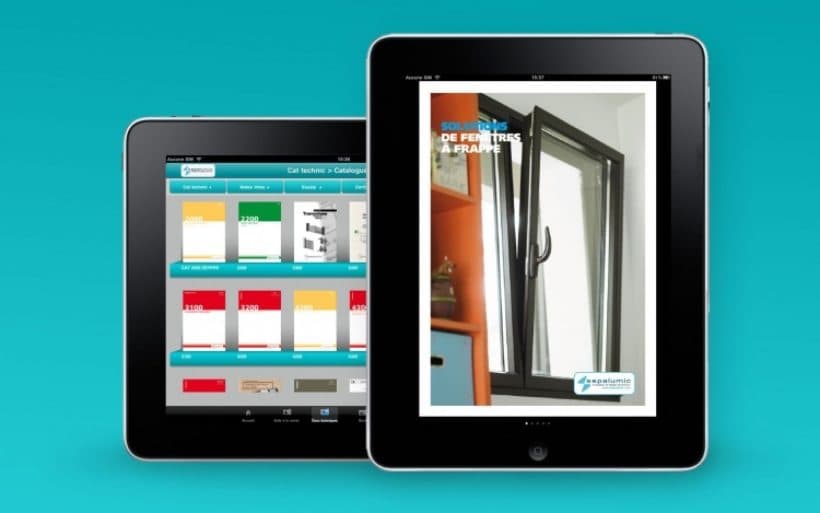
The tablet was supposed to replace computers in your sales activities. It has found a more precise role instead: the screen you put down on the client's table to show a product, a past project, a simulation. The smartphone follows the sales rep everywhere, from the car to the trade show. The computer keeps the long proposals and the dashboards. Each device has its moment.
So the equipment question comes down to something else: what does a sales rep need to be able to do away from the office? According to the 2026 edition of the State of Sales study by Salesforce, a publisher of customer relationship management (CRM) software, a sales rep spends on average 40% of their time selling. The survey questioned 4,050 sales professionals in 22 countries, France included, in August and September 2025. It is a vendor's study and should be read as such, but the order of magnitude speaks for itself. Preparation, data entry, admin: everything that isn't selling is where mobile tools come in. A good tool is therefore judged by one simple question. Does it give selling time back?
What is a mobile sales app for?
To cover four functions, from the first meeting to the order.
- Present. An up-to-date catalogue, videos, reference projects, a configurator that shows the product in the right finish.
- Know. The client record, order history, negotiated prices, available stock, all checked before walking into the buyer's office.
- Close. A costed quote on the spot, order taking, electronic signature.
- Report. Visit report, scheduled follow-up, CRM update, without retyping everything on Friday evening.
The right tool brings these four functions together in one place: catalogues, sales documents, photos, videos, clients and orders. It becomes a dynamic sales support, shared by the whole sales team.
From a client's first contact to restocking, you support them throughout their customer journey, and the tool has to follow that journey closely. Start by spotting the moments when your sales reps lose time, or a sale, then equip those moments first.
Do you still need to plan for offline work?
Yes. Packed exhibition halls, basements, building sites, industrial plants, rural areas: the network often drops out exactly where you sell. What does your sales rep do with no signal? They must be able to access all the content they have already downloaded, open the client record and enter an order that will go through as soon as the connection comes back.
Synchronisation is settled at the design stage, well before the first trade show. Which content to carry on the device, how often to update it, what to do when two people edit the same record: these three answers decide how far the team will trust the tool.
Custom app or off-the-shelf tool?
Usually both. Off-the-shelf CRMs and their mobile apps handle contacts, opportunities, follow-ups and dashboards well. They are less good at what makes an offer distinctive: a very rich technical catalogue, complex pricing, a configurator, a product demonstration.
The sturdiest architecture starts from the existing CRM and adds a custom presentation layer to it, plugged into the same data. One rule to set from day one: the app creates no orphan data. Stock, prices and orders come from the company's management system, and go back into it. This integration work is a job for a technical team, such as the one at NATIVBIZ, the group's digital agency.
Where does artificial intelligence fit in?
As an assistant, under supervision. The same Salesforce study reports that 54% of the sales reps surveyed have already used artificial intelligence (AI) agents, programs able to chain several tasks together. On mobile, the simplest uses already give time back: preparing a meeting from the client's history, dictating a visit report in the car and finding it filed in the client record, drafting a follow-up.
Two safeguards are a must. The sales rep rereads everything that goes out to a client. And client data stays in the tools approved by the company: a personal account on a consumer assistant is no substitute for a CRM.
How do you protect data on mobile devices?
By assuming that a phone will get lost in a taxi and a tablet left behind on a train. The CNIL, the Commission nationale de l'informatique et des libertés (France's data protection authority), recommends encrypting mobile devices, turning on automatic locking with a passcode, providing shared storage space so that nothing is lost if a device is stolen, and setting up a mobile device management (MDM) system that standardises their security settings.
If your sales reps use their own phones, the CNIL recommends ring-fencing the work side of the device. The employer cannot access the private data stored on it, and remote wiping only covers the part dedicated to work.
Do your clients need an app too?
That question is settled separately. An app for your clients, to browse the catalogue, place an order or track a delivery, can share the same data as your sales reps' tool. Yet it meets other expectations, and follows a different calculation: how often it will be used and what service it provides.
The best mobile tool is the one a sales rep opens in front of a client without having to apologise.